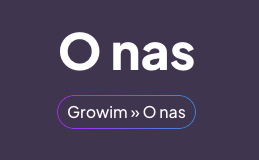
1. Nadajemy mu klasę np. gradient-breadcrumbs
2. Wklejamy kod CSS:
.gradient-breadcrumbs > .elementor-widget-container::before {
content: "";
position: absolute;
inset: 0; /* Top, right, bottom, left = 0 */
padding: 1px; /* Grubość obramowania */
border-radius: 50px; /* To samo zaokrąglenie co kontener */
background: linear-gradient(90deg, #C21EFC, #219BE4);
-webkit-mask:
linear-gradient(#fff 0 0) content-box,
linear-gradient(#fff 0 0);
-webkit-mask-composite: destination-out;
mask-composite: exclude;
pointer-events: none;
}